
Setup guide · Zapier
Set up inst8 for Zapier
Connect inst8 to 6,000+ apps. Trigger SMS from any Zap. Receive SMS as a trigger in any Zap. No code.
Step-by-step
- 1
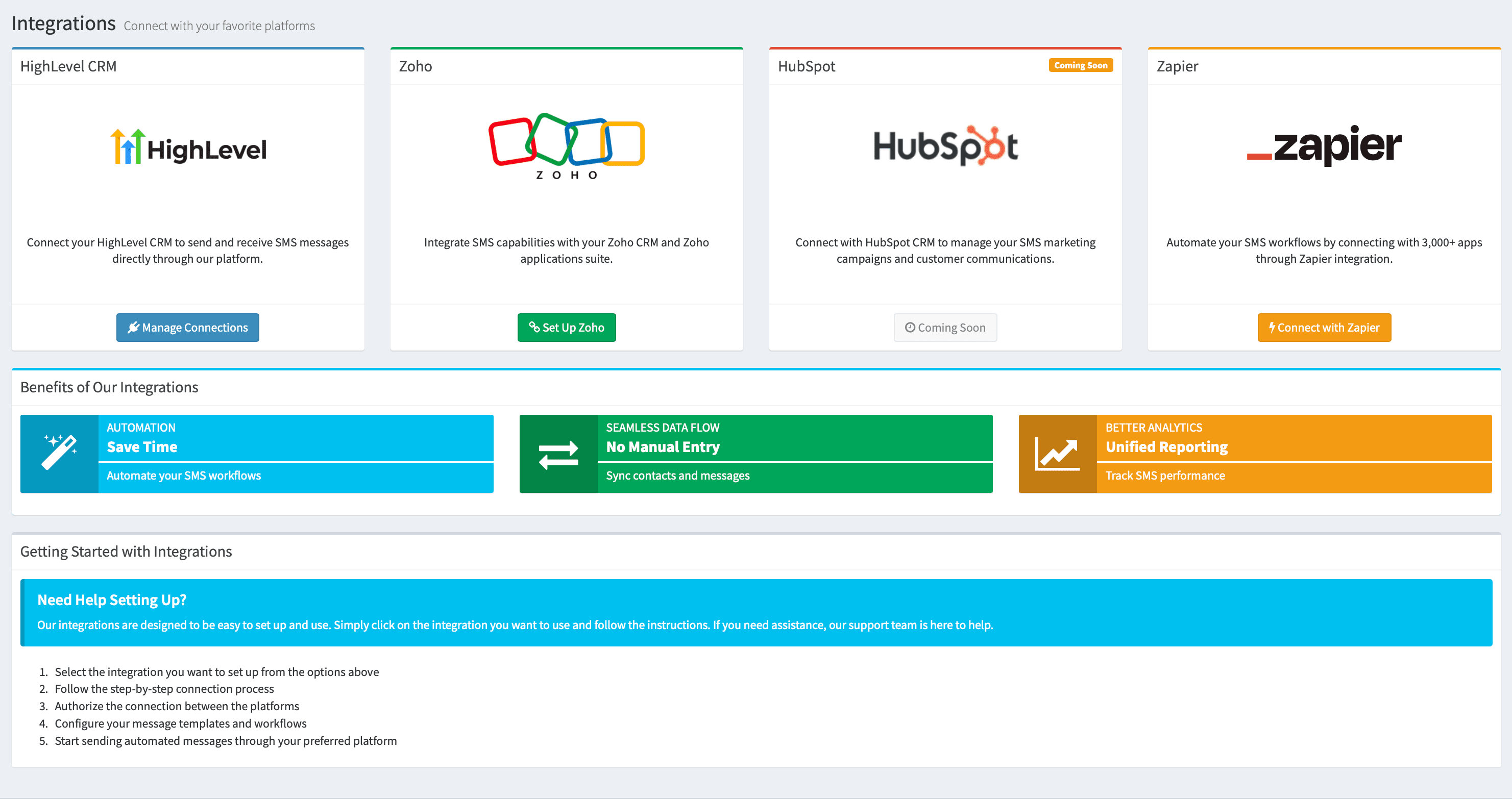
Open the Integrations page
Sign into inst8-sms.com and go to Integrations → Zapier.
- 2
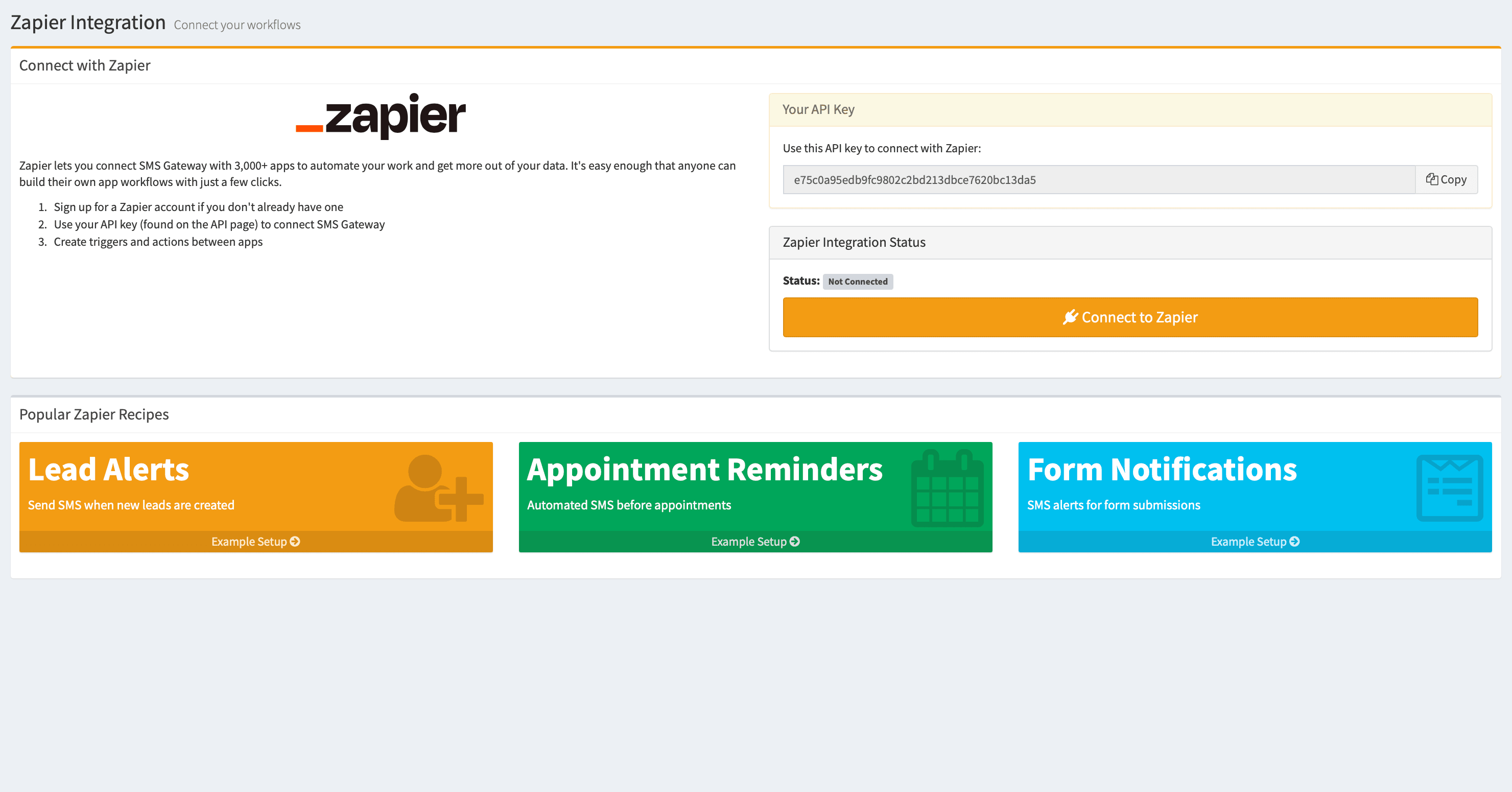
Copy your API key
Click ‘Copy’ next to the API key. Treat it like a password — anyone with this key can send SMS through your account.
- 3
Connect to Zapier
Click ‘Connect to Zapier’. Sign in to Zapier when prompted.
- 4
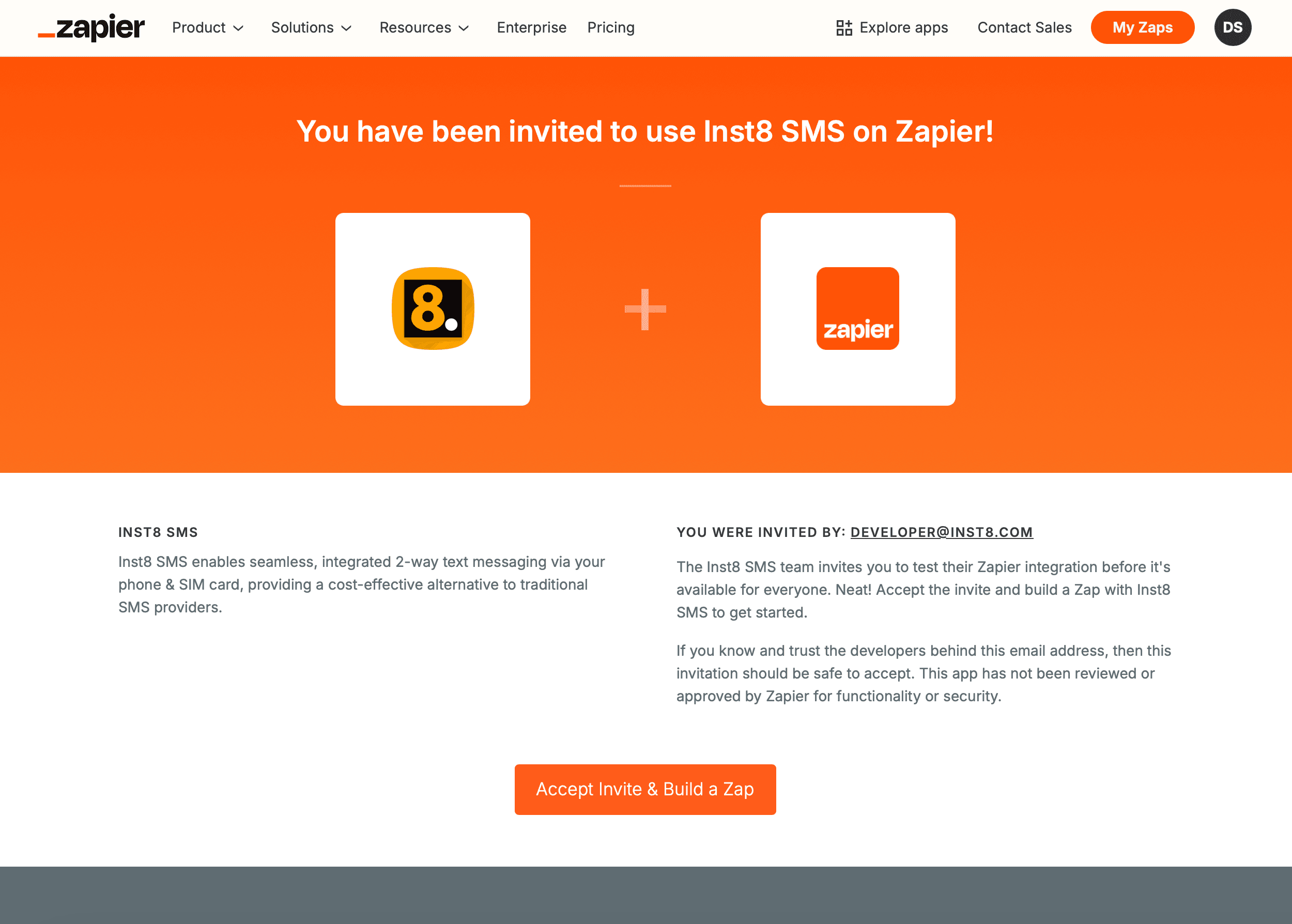
Accept the invitation
Click ‘Accept Invite & Build a Zap’ to add inst8 to your Zapier account.
- 5
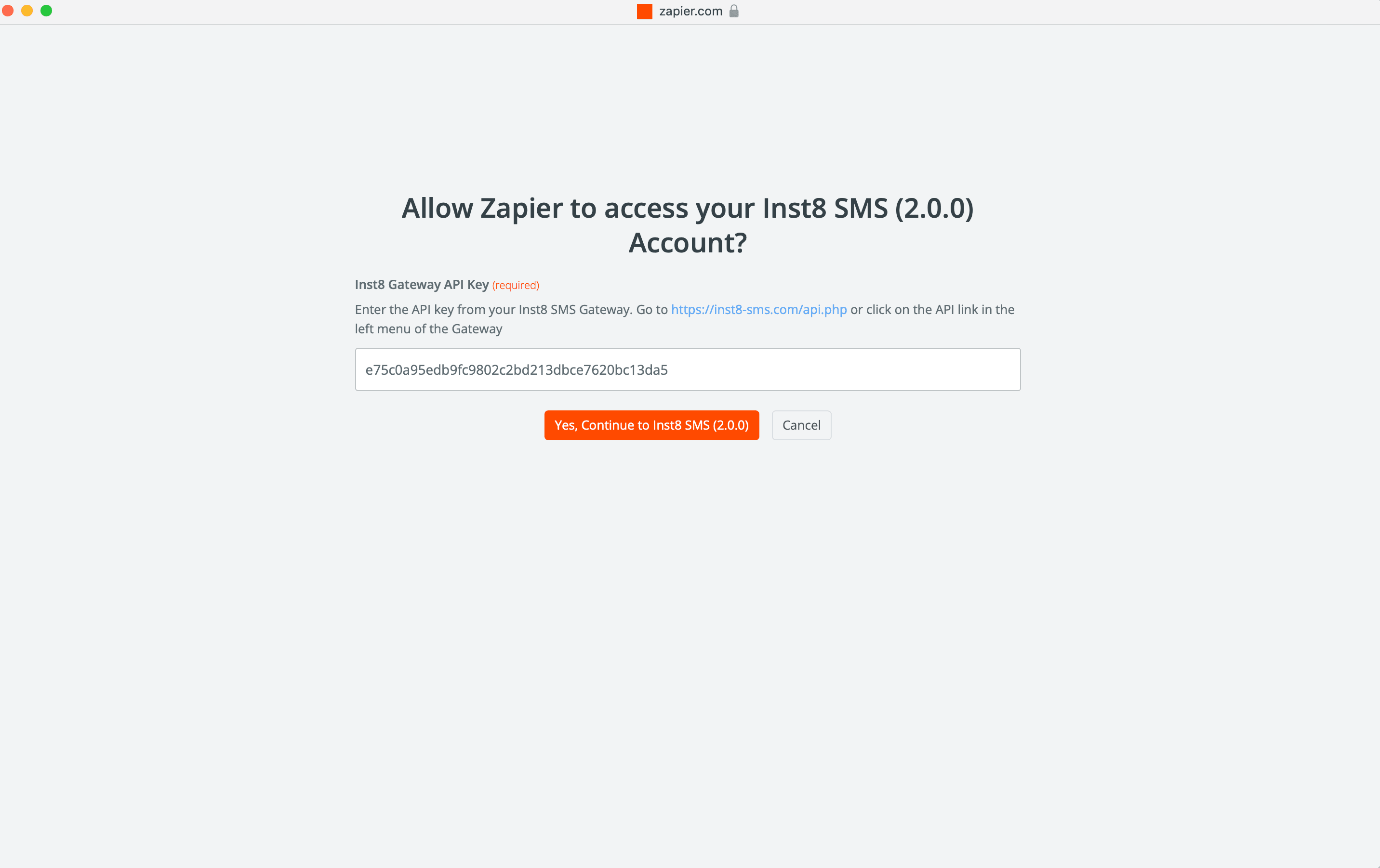
Authorise the connection
Paste your API key when Zapier asks, then click ‘Yes, Continue to Inst8 SMS’.
- 6
Build your first Zap
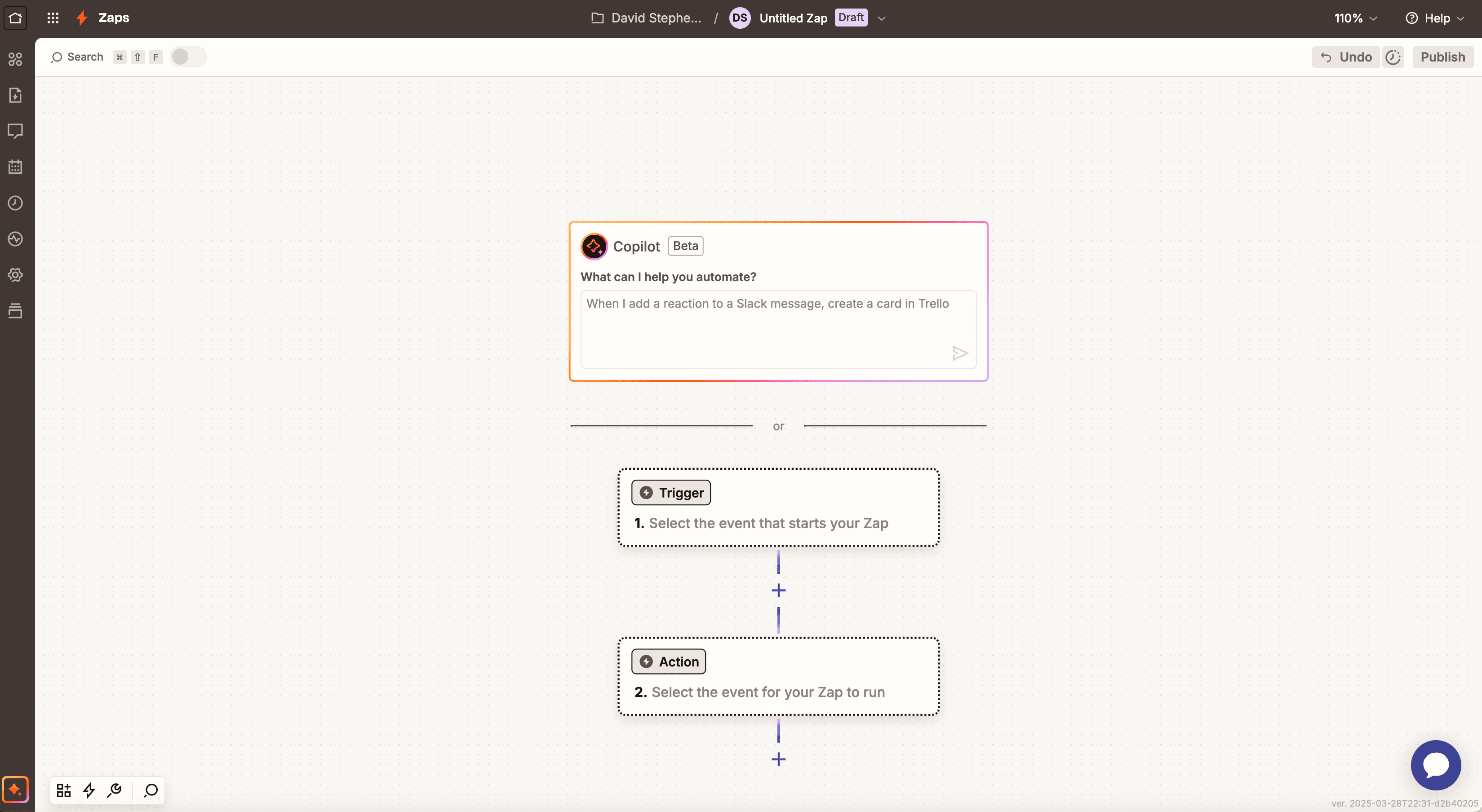
In Zapier, click ‘Create Zap’. Pick any trigger app and event. Then add ‘Inst8 SMS — Send SMS’ as the action. Enter the recipient, message, device and SIM.
- 7
Test and turn on
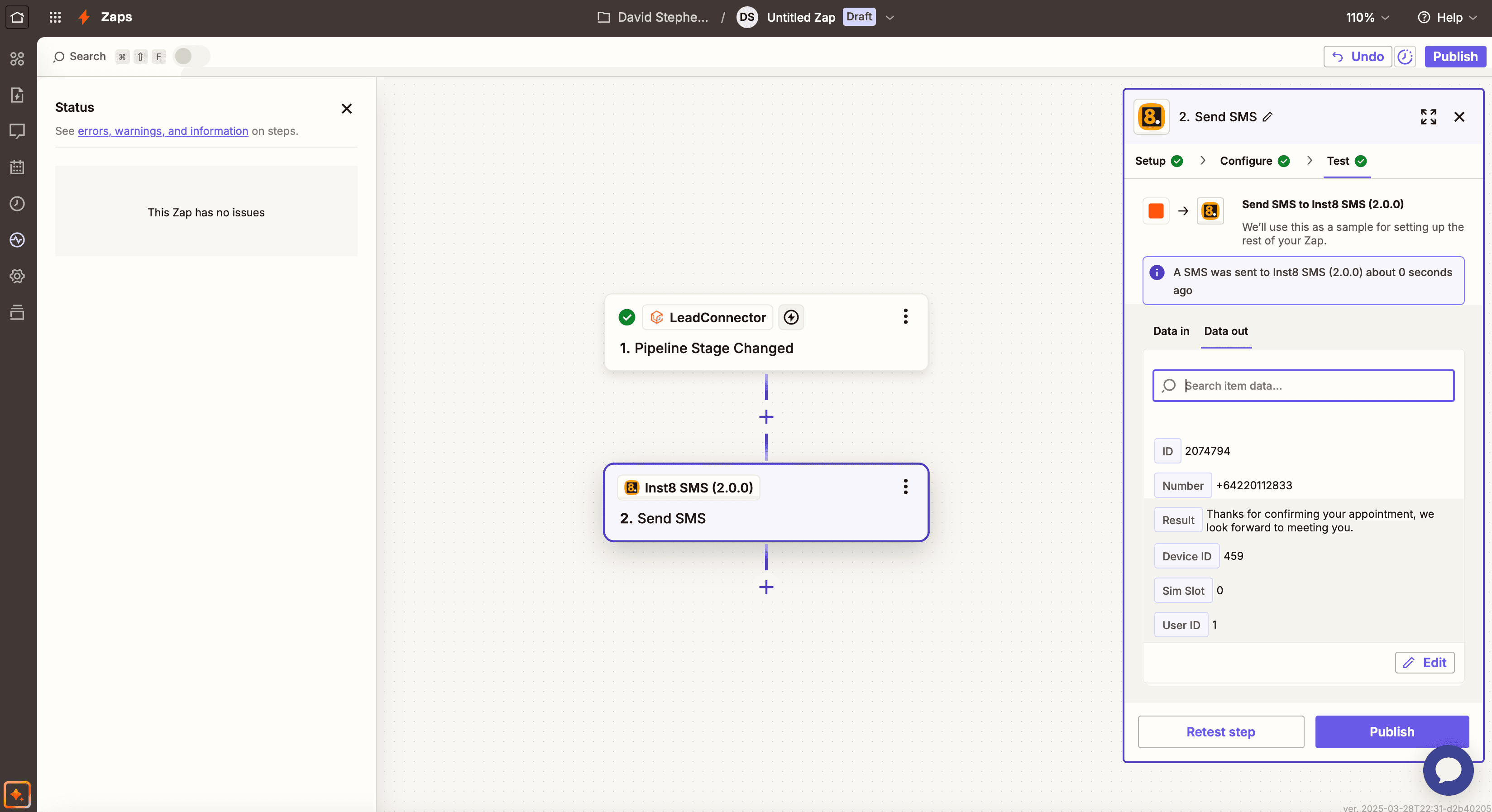
Test the action, name your Zap, toggle it on. You're live.
Troubleshooting
- Can't connect to Zapier
- Re-copy your API key (no whitespace). Make sure the inst8 account is active. Clear browser cache if persistent.
- SMS not sending
- Check device is online and has cellular. Confirm phone number format includes country code. Check the SIM has credit.
- Trigger not firing
- Make sure the Zap is enabled. Verify the trigger setup matches your test data. Manually re-test the trigger from Zapier.
Still stuck?
Message us on WhatsApp — usually answered in under an hour.