
Setup guide · Zoho CRM
Set up inst8 for Zoho CRM
A native Zoho extension. Send single or bulk SMS from any contact or lead record. Full conversation history inside the record view.
Step-by-step
- 1
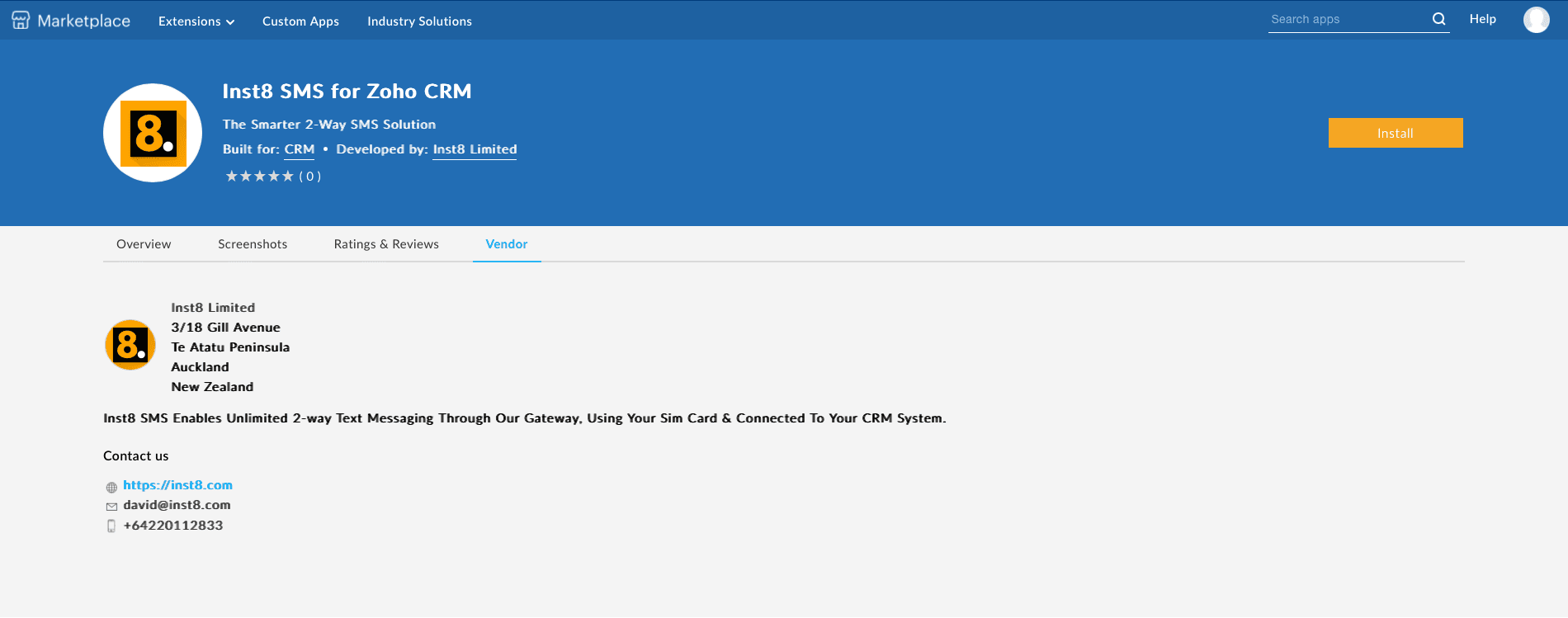
Open the Zoho Marketplace
In Zoho CRM, go to Setup → Marketplace and search for ‘Inst8 SMS’.
- 2
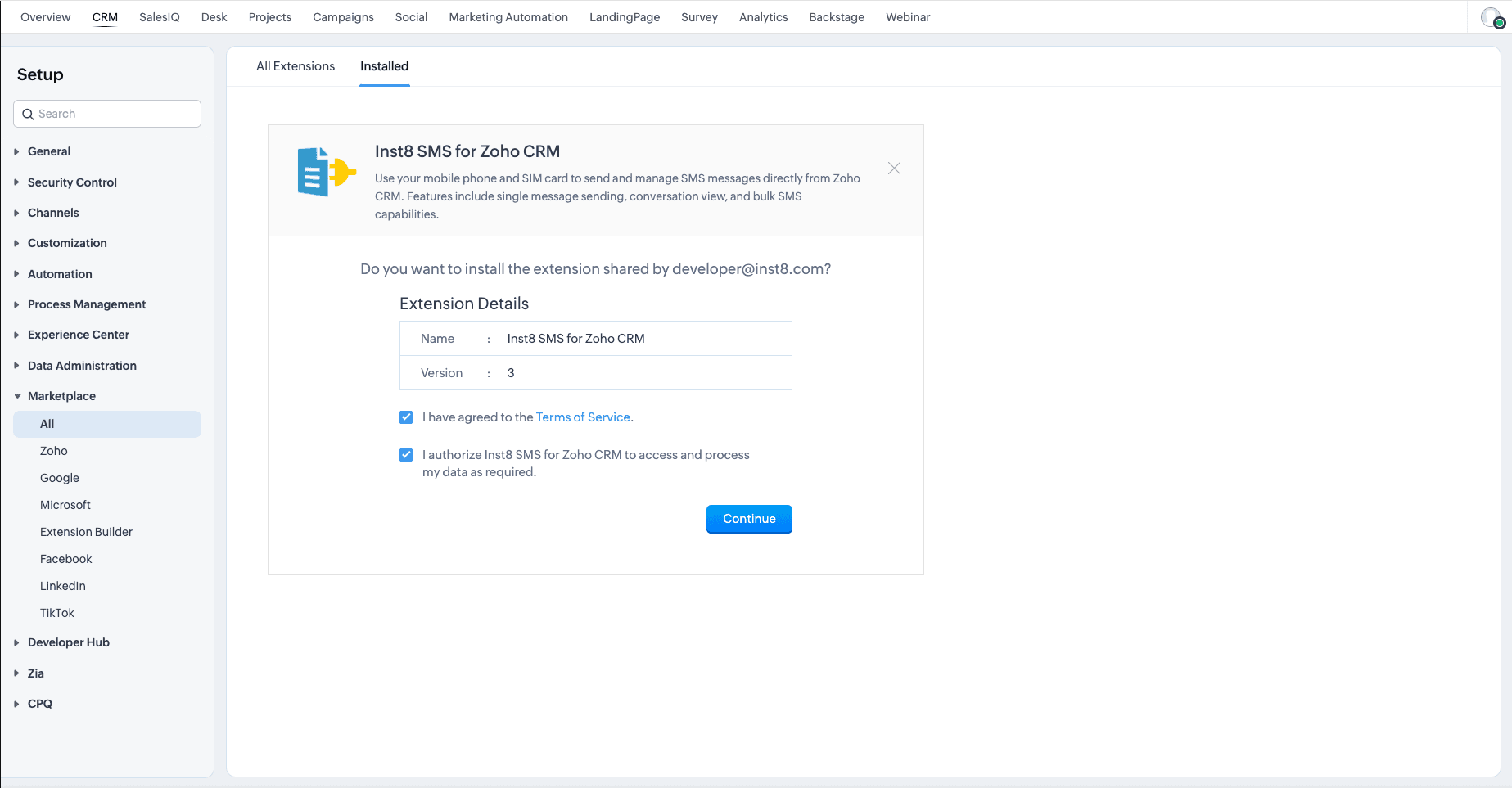
Install the extension
Accept the Terms of Service and click Install.
- 3
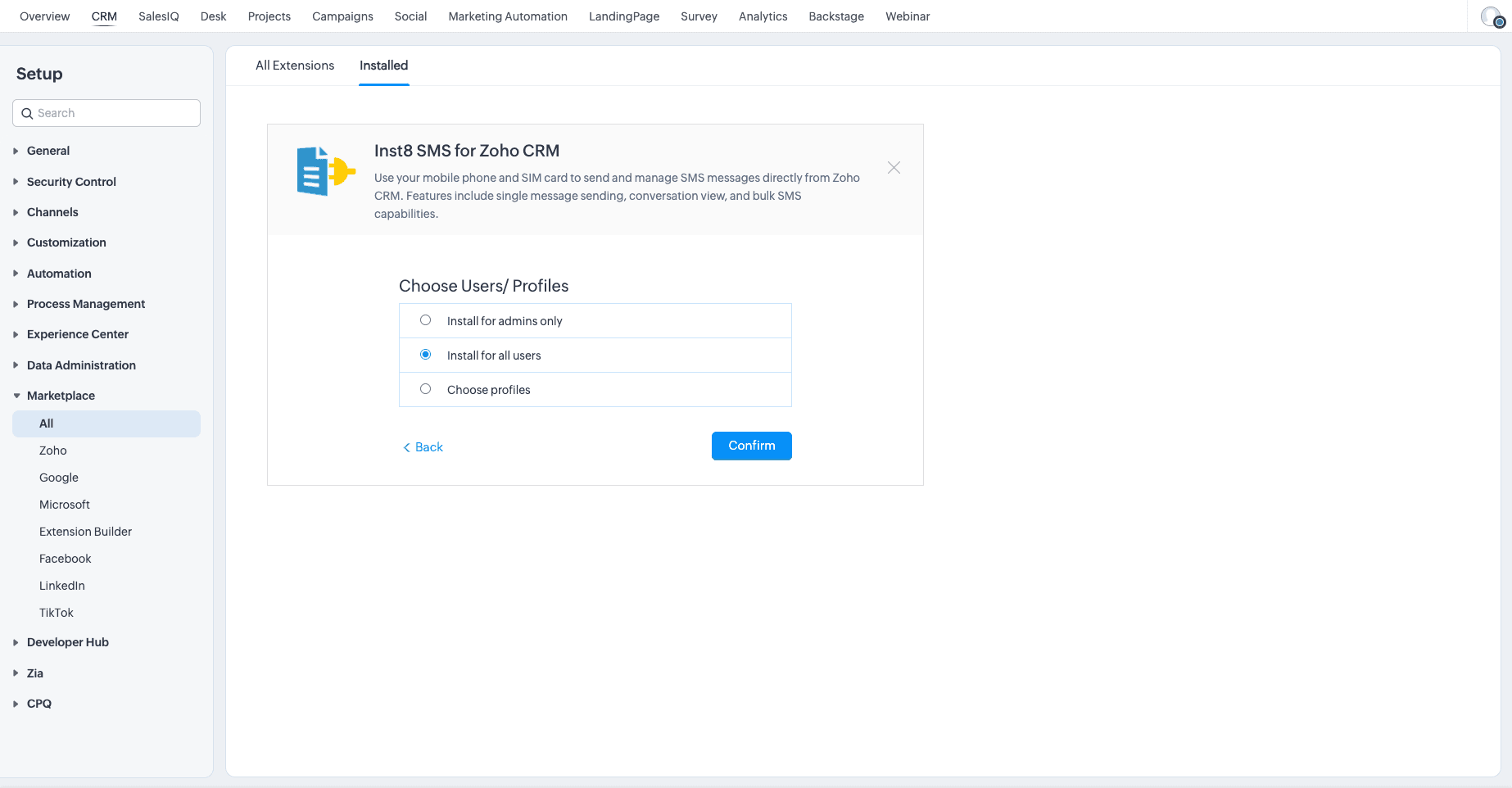
Configure user access
Choose whether the extension is available to admins only, all users, or specific profiles.
- 4
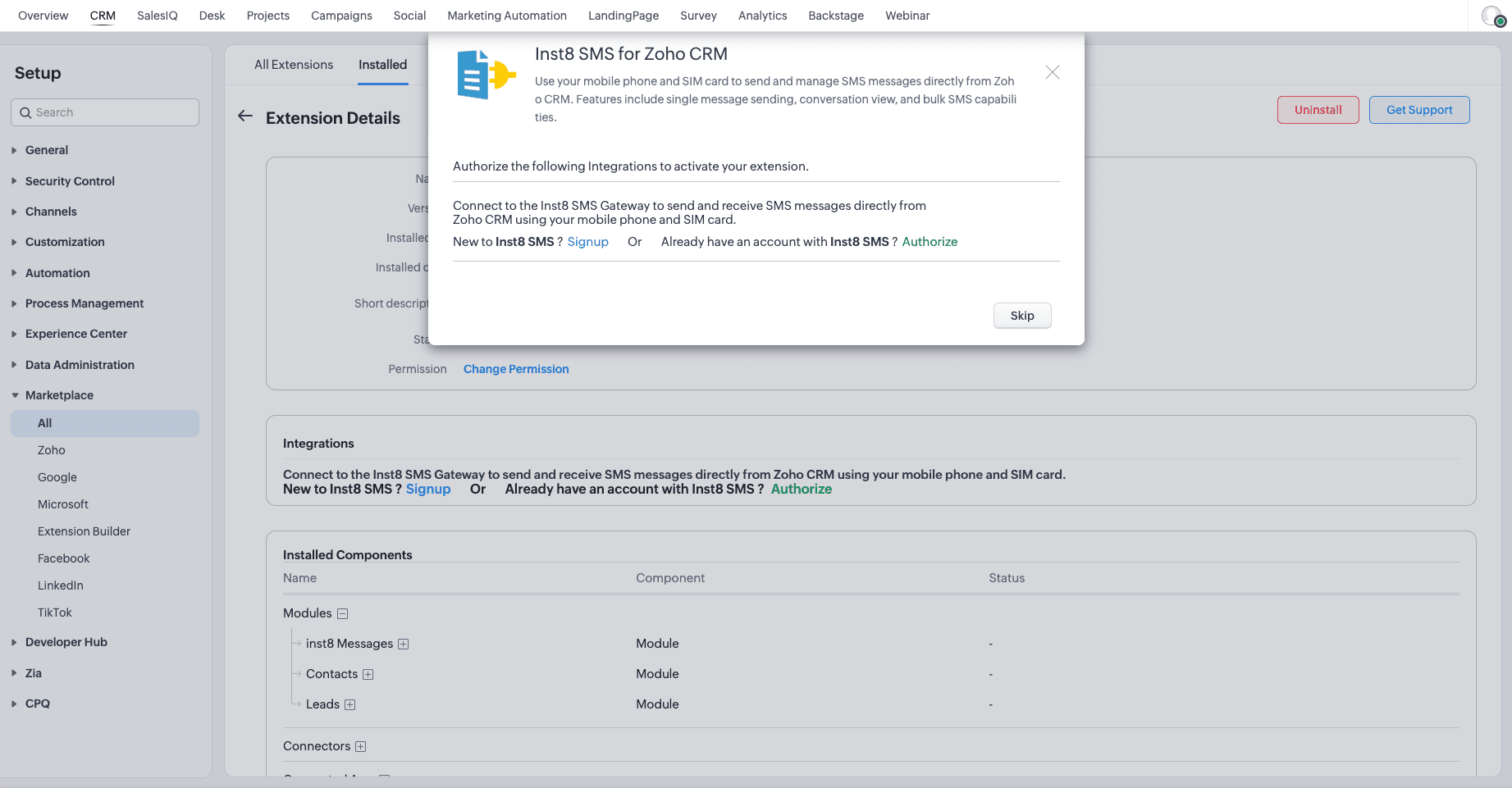
Authorise inst8
Sign in to your inst8 Gateway account (or create one) when prompted to authorise the connection.
- 5
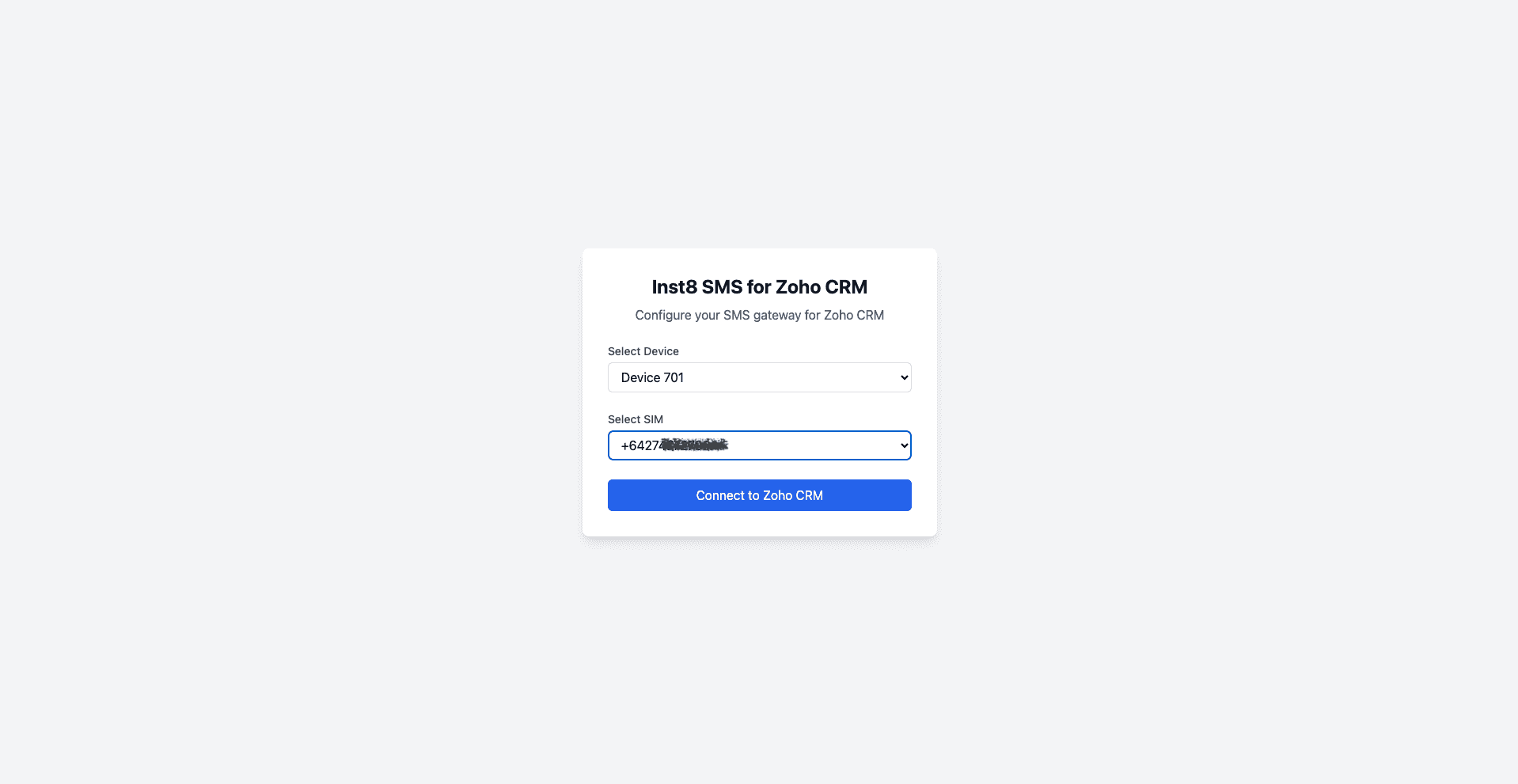
Pick device & SIM
Select which Android device and SIM to bind to this Zoho organisation.
- 6
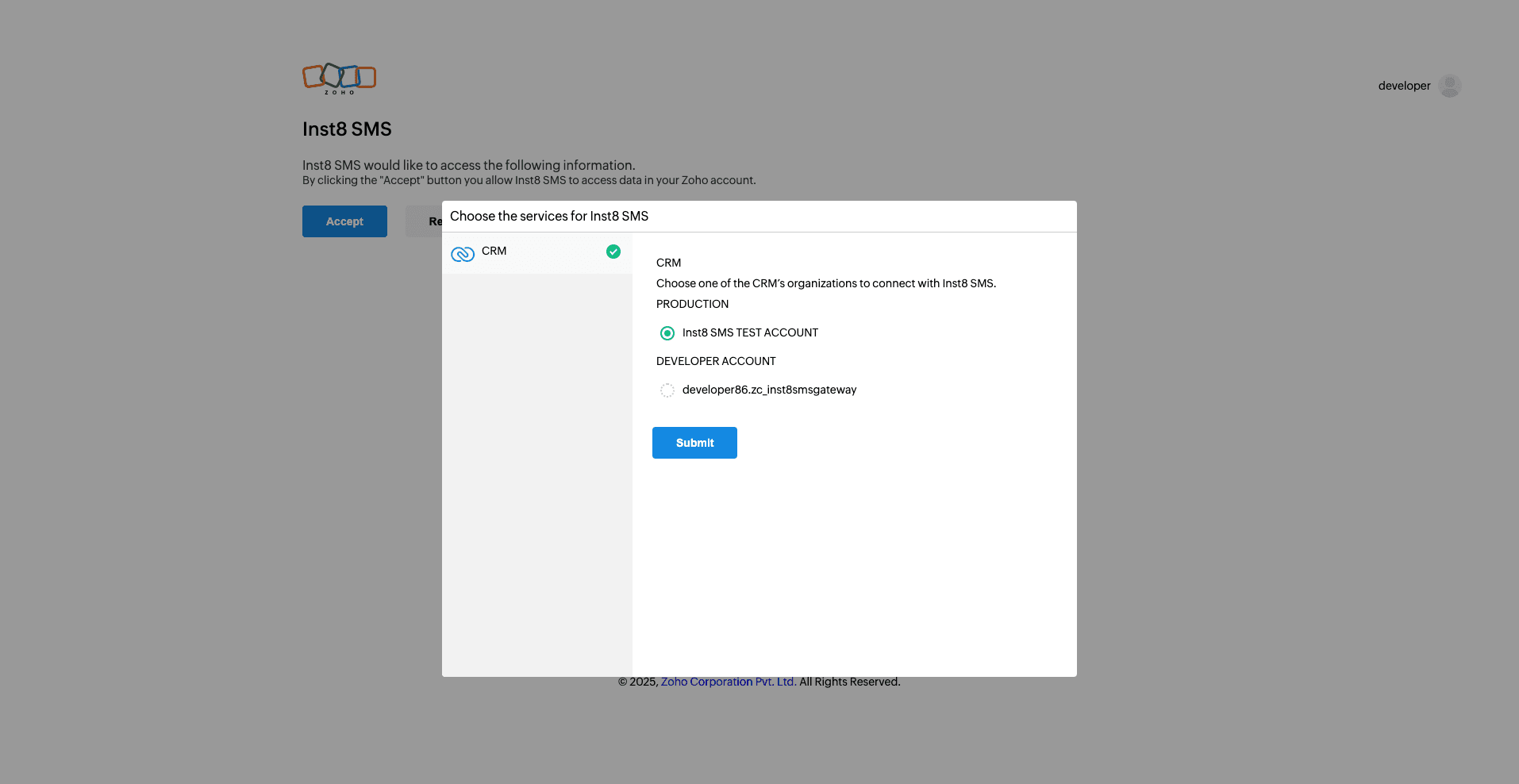
Pick the Zoho org
If you have more than one Zoho organisation, pick the one to install into.
- 7
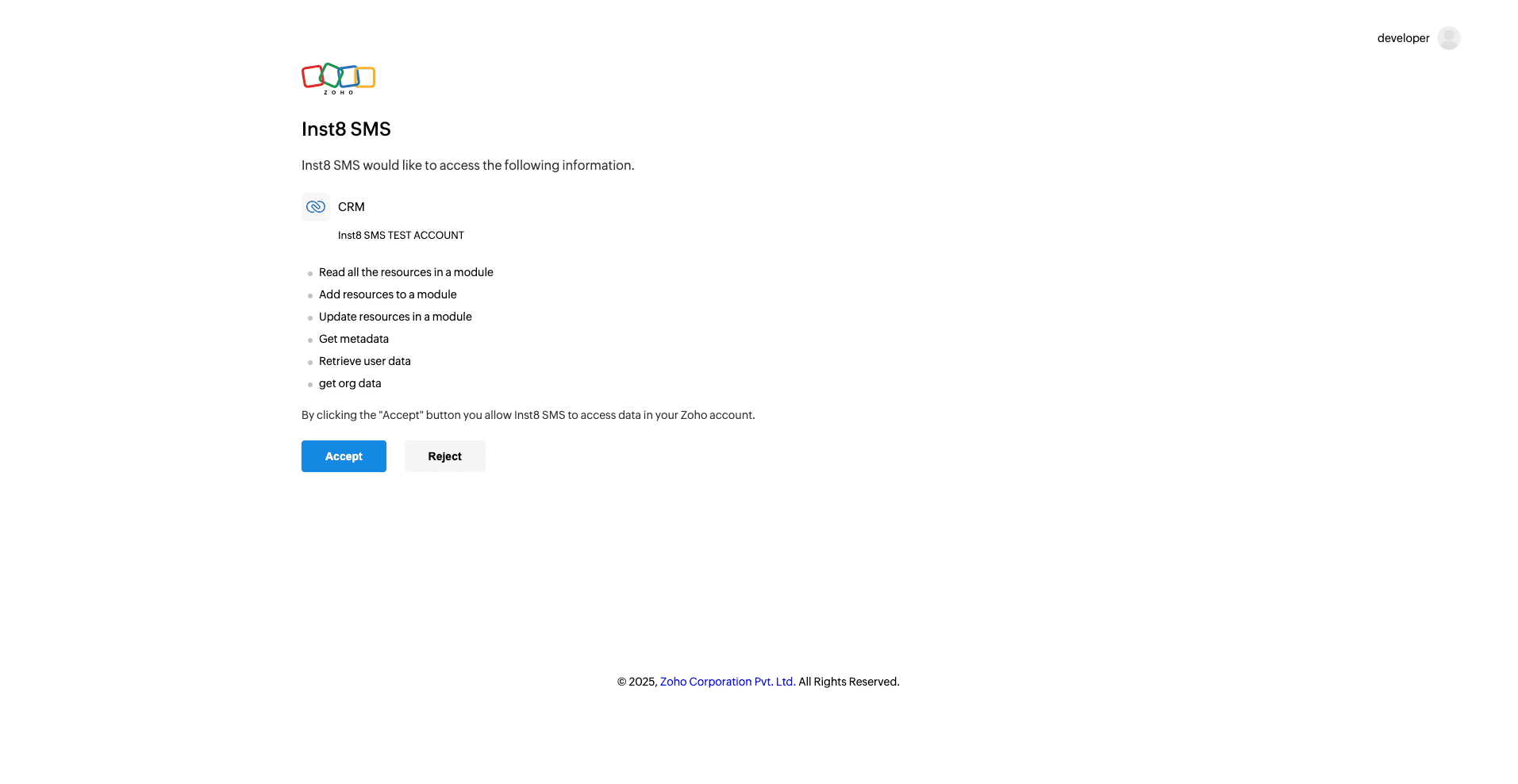
Accept data permissions
Review the permissions inst8 needs (read contacts, write activity timeline) and accept.
- 8
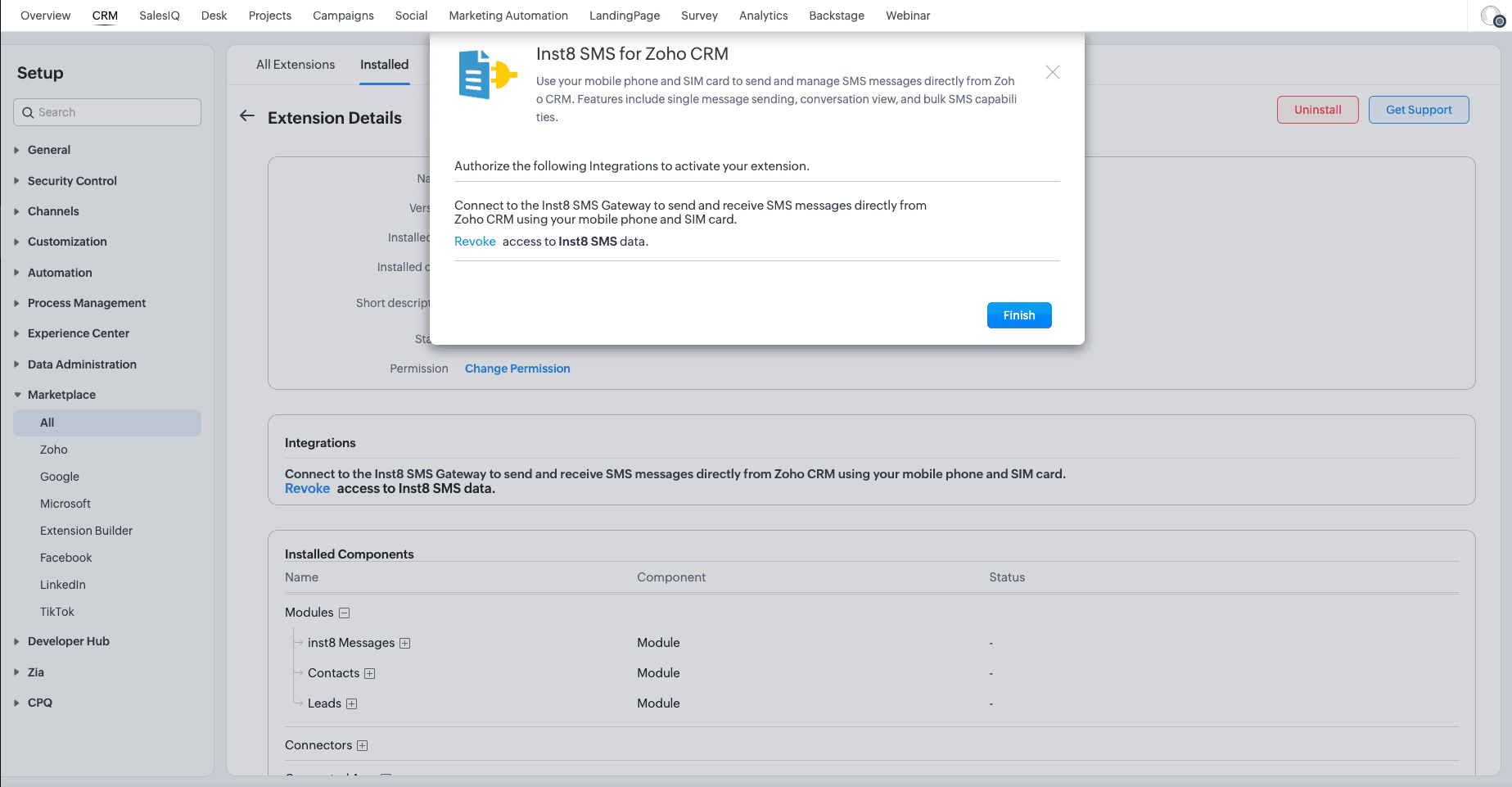
Confirm install
Zoho confirms the install. You'll now see ‘Send Inst8 SMS’ and ‘Bulk Inst8 SMS’ options inside contact and lead views.
Troubleshooting
- Message not sending
- Check device is online. Check SIM credit. Confirm phone number includes country code.
- Status not updating
- Refresh the record. Check device connection. Confirm the Android app is running.
- Integration disconnected
- Re-authorise the inst8 connection from the Zoho Marketplace ‘Installed’ tab.
Still stuck?
Message us on WhatsApp — usually answered in under an hour.